iXyber AE Analyst
An enterprise-scale event and alarm management system

What's this for



As the Chief Metrologist, I want to have a system for managing the configuration of events and alarms across the entire enterprise, controlling their compliance with the actual values in the process control system, and managing the processes of their modification
As a Plant Manager, I want to have analytics on events and alarms at the process unit for making prompt decisions regarding process control and asset management

iXyber AE Analyst Supports an alarm configuration database for all company PCS (MADB – Master Alarm Database), performs audits of alarm configuration compliance between PCS and the enterprise alarm database, and enables the business process for modifying event and alarm configurations.Generates analytical reports on events and alarms to support operational decision-making for process and asset management.
Key advantages
- Reading events and alarms from any PCS vendor via OPC AE protocol, or directly from the PCS alarm database;
- Reading the current configuration of events and alarms from any PCS via OPC DA or OPC UA protocols;
- No technical limitations on the number of connected PCS systems;
- Export and import of the event and alarm configuration database;
- Universal internal representation of events and alarms, independent of PCS type;
- Storing all changes to event and alarm configurations, and managing configuration changes;
- Analytical processing of events and alarms from all enterprise PCS systems, generating analytical reports;
- Deployment alongside other application modules of the iXyber Platform (APC Runner, PID Analyst, Asset Analyst, etc.).


Architecture and Functionality
The system ensures implementation of Stage H «Monitoring and Assessment» of the Russian standard GOST R IEC 62682-2019 «Alarm Systems for the Process Industries».
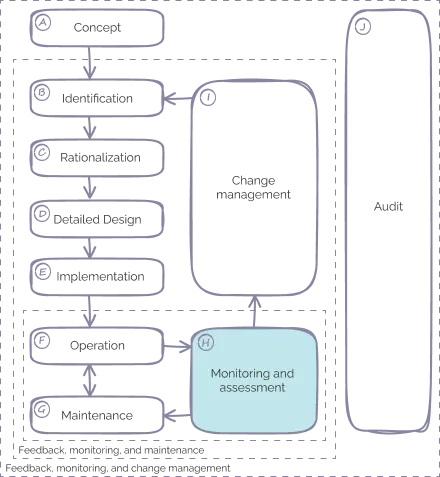
The system consists of two main subsystems:
1
Master Alarm Database (MADB) - provides unified storage of event and alarm configurations at the enterprise level (for all process control systems across the enterprise).The system audits the compliance of alarm configurations between process control systems and the enterprise alarm database, and automates the business processes for event and alarm configuration changes.
2
Analytical processing performs analytical processing of events and alarms, generating reports from various perspectives.

Event and alarm configuration database
Contains the configuration of events and alarms from all process control systems (PCS) across the company.In English, this is referred to as the Master Alarm Database (MADB).
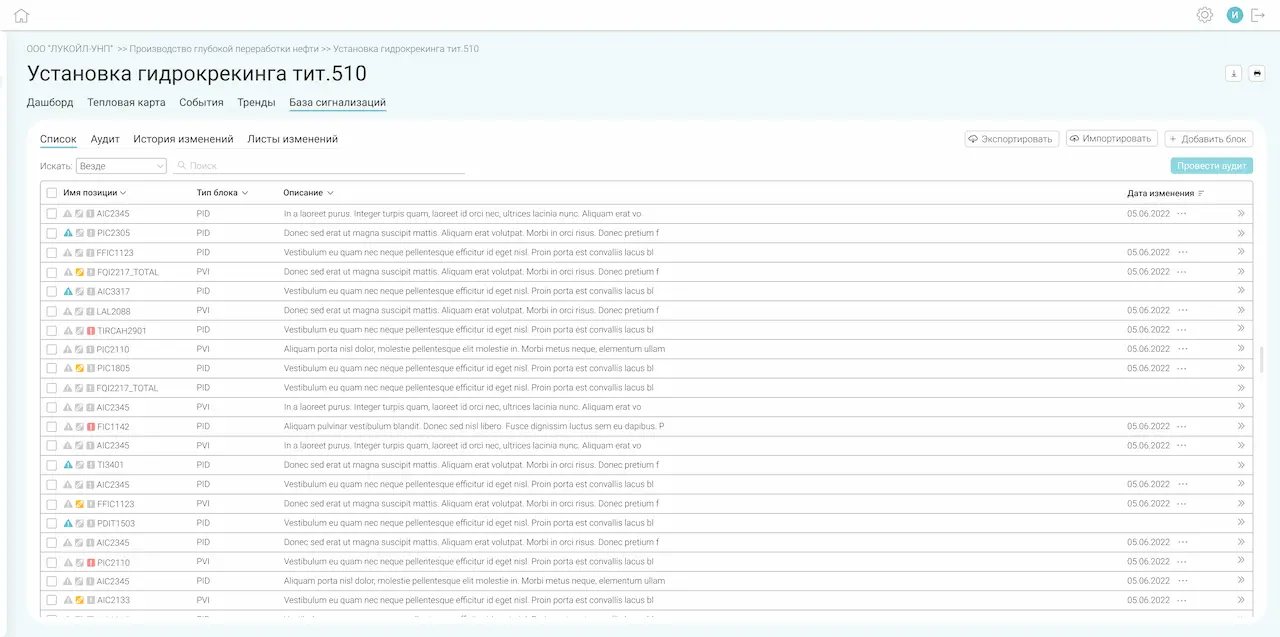
- List of all items with configured events/alarms;
- Status icons for item configuration:
- changes have been made to the configuration;
- item configuration is included in a change log/list;
- differences are detected between the database and the PCS configuration.
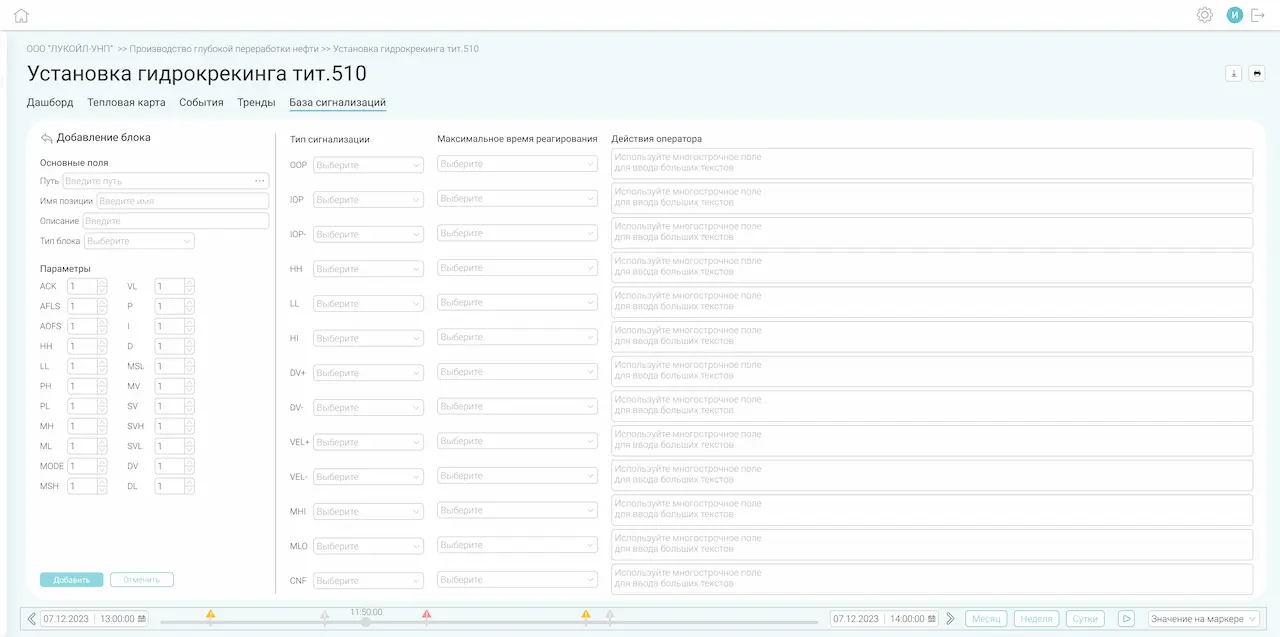

- Adding new items: manually by position or in bulk via import;
- Ability to create a configuration based on another item (sample-based filling).
 List of all items with configured events/alarms;
- Status icons for item configuration:
 changes have been made to the configuration;
 item configuration is included in a change log/list;
 differences are detected between the database and the PCS configuration.

Alarm Configuration Audit
Performs an audit of alarm configurations, displaying inconsistencies between the current configuration from the process control system (PCS) and the alarm configuration database. Generates change logs (change lists) based on audit results.
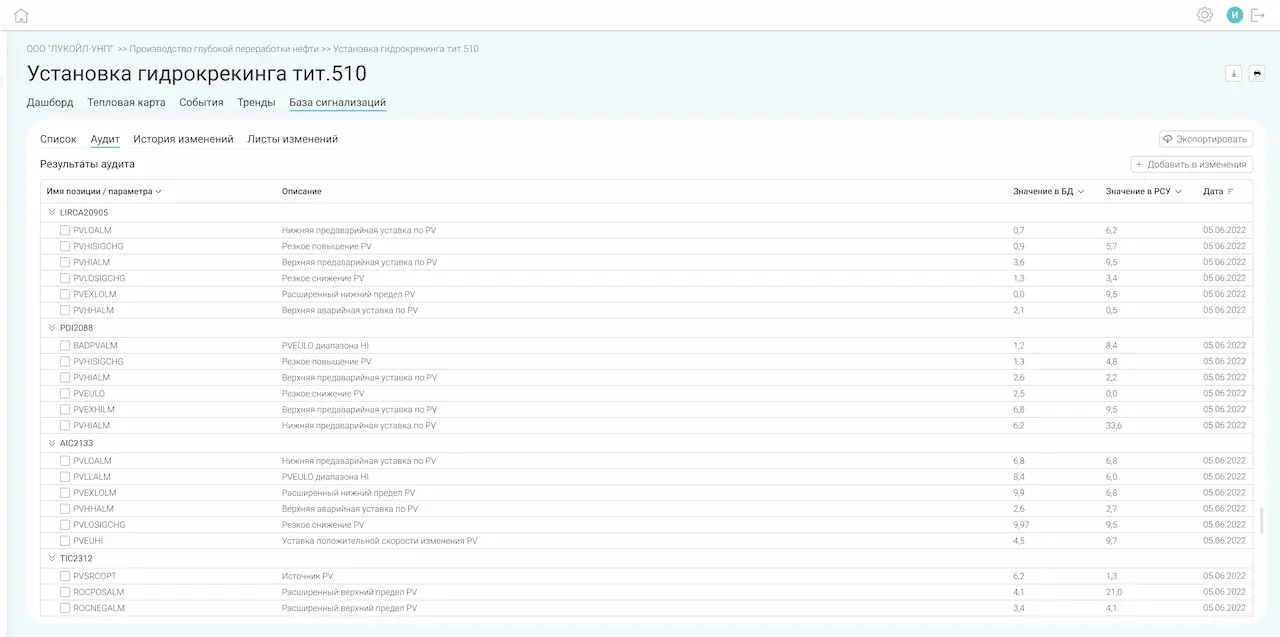
- Supports both online and periodic alarm configuration audits.As a result, discrepancies between the PCS and the MADB are provided in the following format:
- Position
- Parameter
- Value in MADB
- Value in PCS
- Allows for creation of a Change List based on the audit results.

- Supports both online and periodic alarm configuration audits.As a result, discrepancies between the PCS and the MADB are provided in the following format:
- Position
- Parameter
- Value in MADB
- Value in PCS
- Allows for creation of a Change List based on the audit results.

Change lists
Designed for documenting necessary changes in event and alarm configuration, as well as for managing the approval and authorization process for these changes. The main rule is that any changes to the alarm database configuration are only possible through change lists.
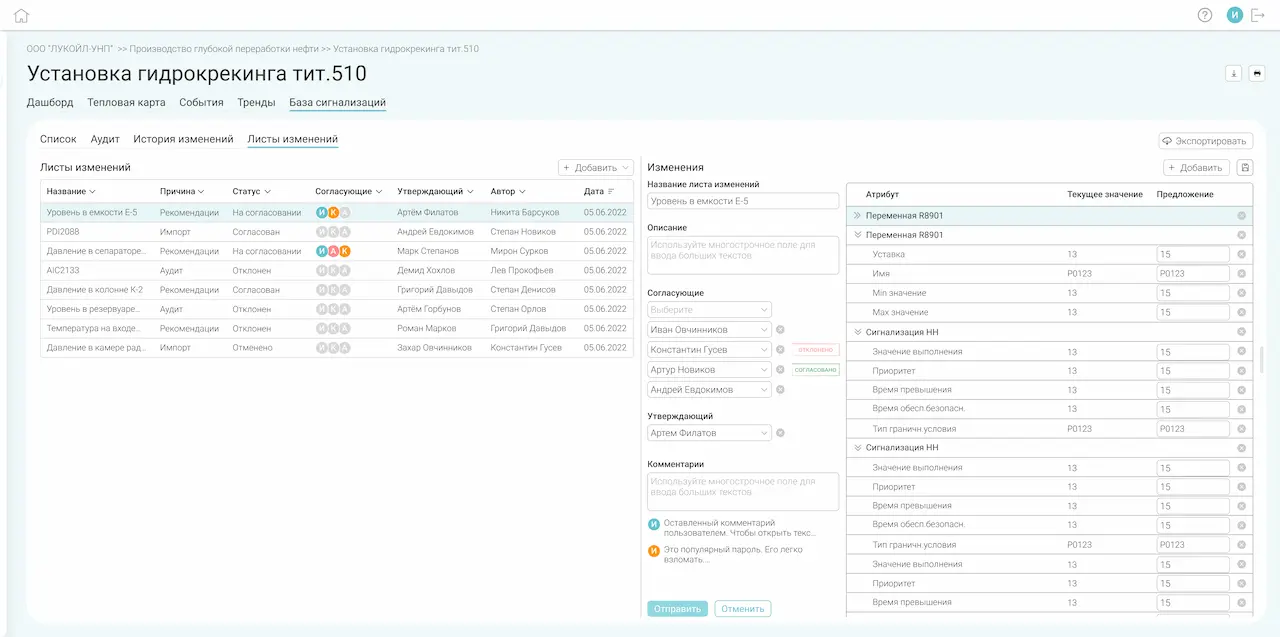
- Creation, editing, review, and approval of change lists for event and alarm configuration;
- Various statuses of change lists:
- Draft – status upon creation, with the possibility of further editing;
- Under Review – in the approval workflow;
- Agreed – approved by all reviewers;
- Approved;
- Rejected – rejected by a reviewer or approver.
- Adding comments during the review and approval process;
- Creating a draft change list based on an existing one;
- Email notifications to all participants in the change review and approval process;
- Automatic application of changes to the alarm database after the change list is approved.
- Creation, editing, review, and approval of change lists for event and alarm configuration;
- Various statuses of change lists:
- Draft – status upon creation, with the possibility of further editing;
- Under Review – in the approval workflow;
- Agreed – approved by all reviewers;
- Approved;
- Rejected – rejected by a reviewer or approver.
- Adding comments during the review and approval process;
- Creating a draft change list based on an existing one;
- Email notifications to all participants in the change review and approval process;
- Automatic application of changes to the alarm database after the change list is approved.

Event and alarm monitoring
Analytical processing of events and alarms from the PCS, with report generation.
Dashboard
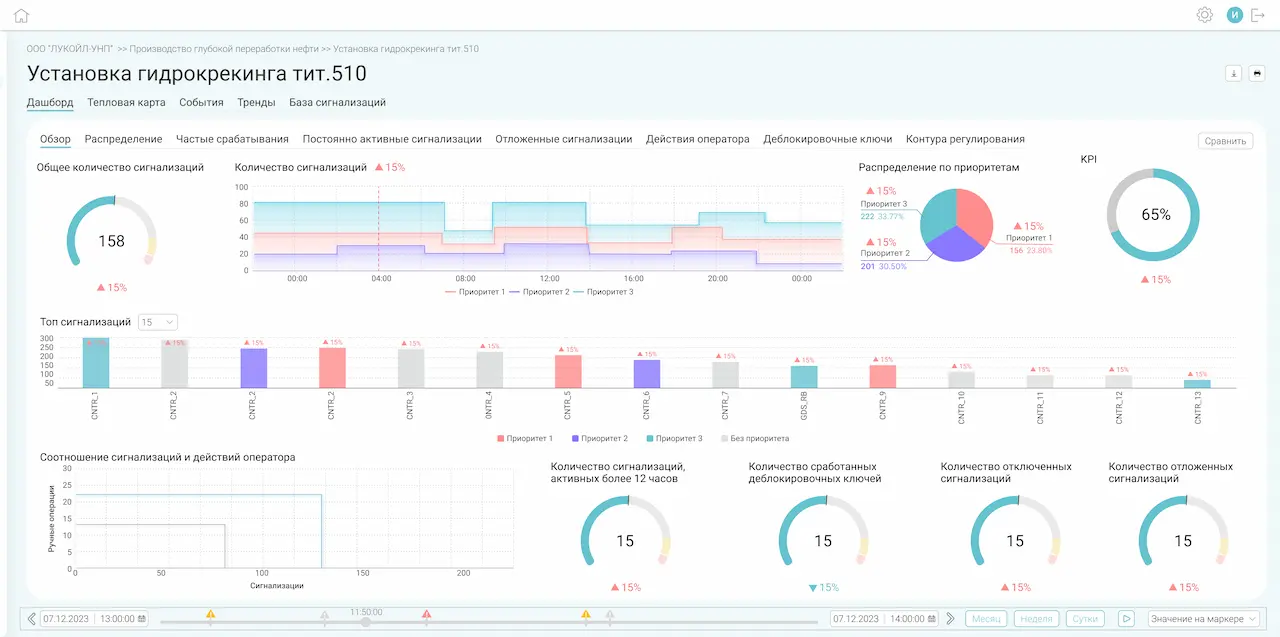

- Metrics according to GOST R IEC 62682-2019 «Alarm Systems for the Process Industries» and others;
- Event and alarm reports segmented by:
- Distribution (by types and priorities);
- Frequently triggered alarms;
- Constantly active alarms (over 12 hours);
- Shelved alarms;
- Operator actions;
- Override keys;
- Control loops.
- Ability to add new reports and modify existing ones.
- Metrics according to GOST R IEC 62682-2019 «Alarm Systems for the Process Industries» and others;
- Event and alarm reports segmented by:
- Distribution (by types and priorities);
- Frequently triggered alarms;
- Constantly active alarms (over 12 hours);
- Shelved alarms;
- Operator actions;
- Override keys;
- Control loops.
- Ability to add new reports and modify existing ones.
Heatmap
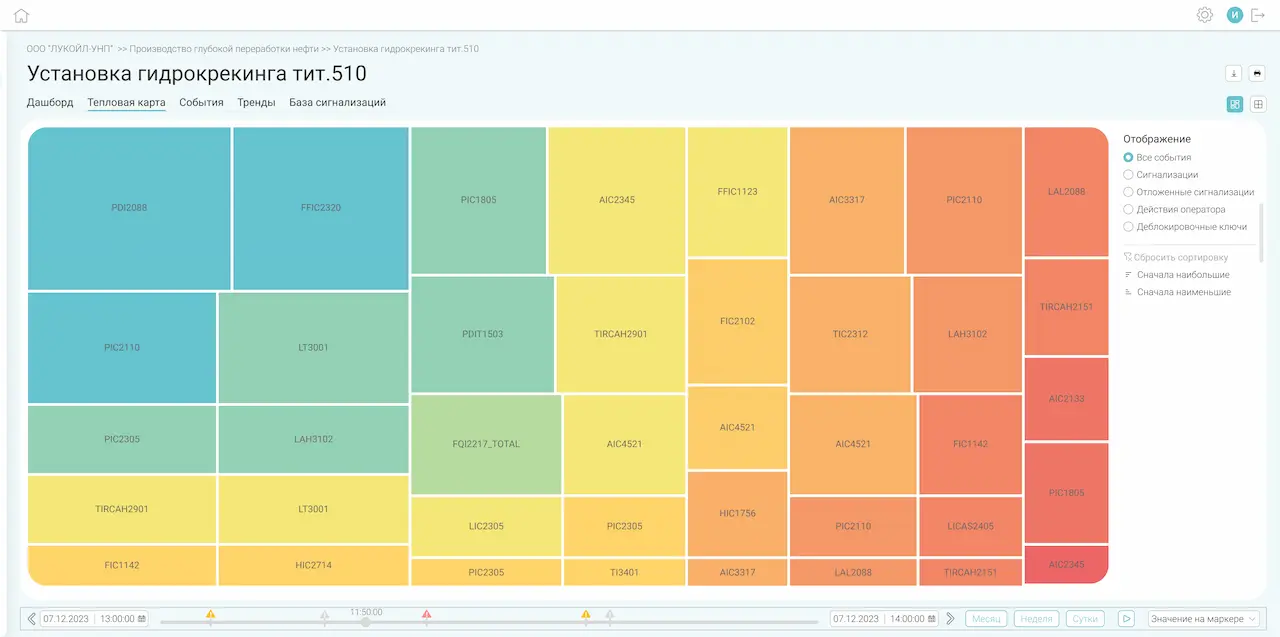
 Table view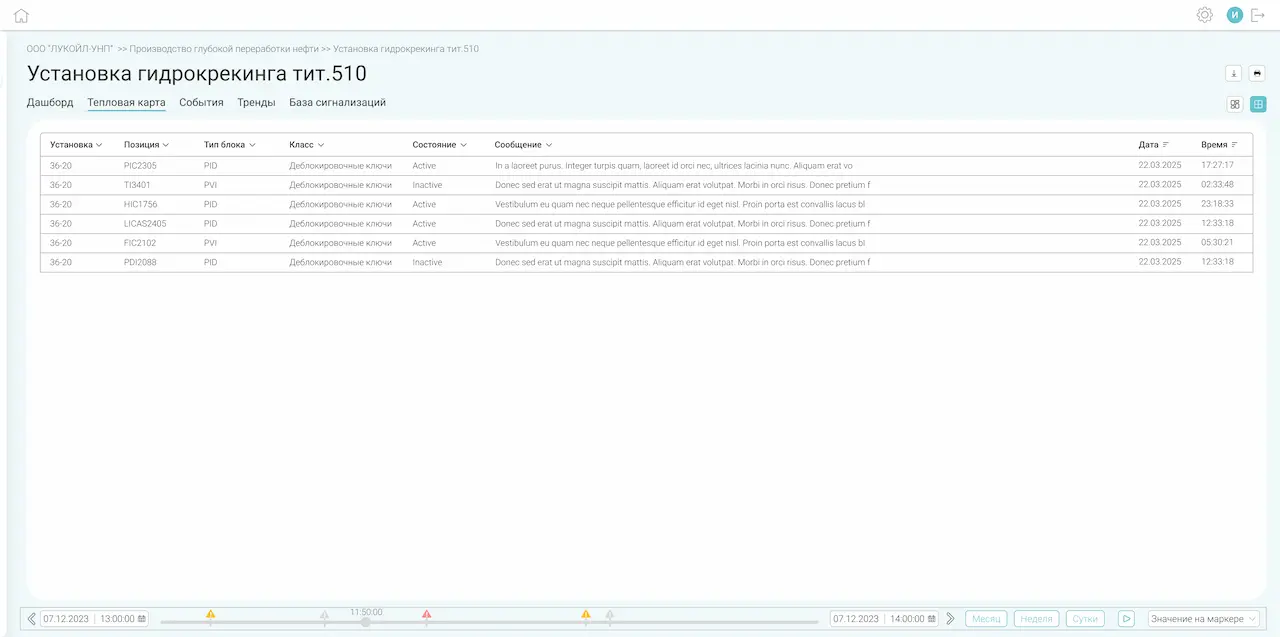
- Allows you to easily identify general trends;
- Fast comparison of values across large data sets;
- Export data from the table view to CSV.
- Allows you to easily identify general trends;
- Fast comparison of values across large data sets;
- Export data from the table view to CSV.

System events, trends, and data export
Viewing and analysis of system events and historical trends; export of monitoring data for external processing.
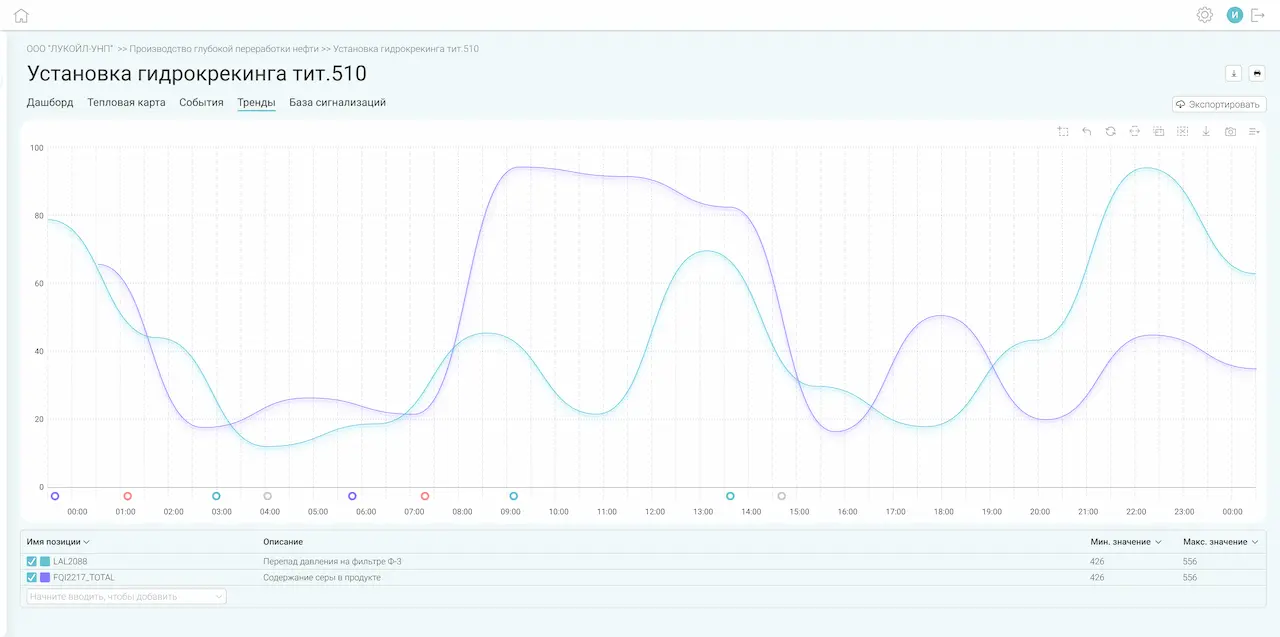
- Internal system events:
- Changes in the MADB;
- Changes in change list statuses;
- User-defined events configured in the system.
- Historical trends: predefined and user-created trend groups.
- Internal system events:
- Changes in the MADB;
- Changes in change list statuses;
- User-defined events configured in the system.
- Historical trends: predefined and user-created trend groups.
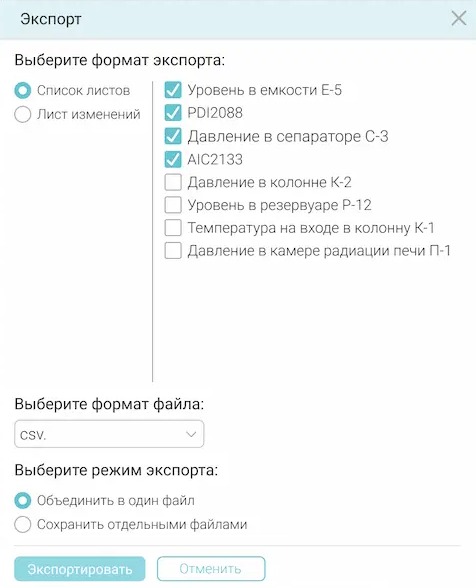
- Exporting event and trend data to CSV.
Case studies
Loading...